
Welcome, winery owners, vineyard managers, and wine industry professionals in the Pacific Northwest!
In 2026, video is no longer the enfant terrible of web design. With modern codecs, adaptive streaming, and thoughtful design, video becomes the most powerful storytelling tool for Pacific Northwest wineries—delivering cinematic beauty, authenticity, and engagement across every device.
Introduction: From Enfant Terrible to Star Performer
Let’s be honest: for years, video was the enfant terrible of web design. Heavy, slow, and often a nightmare on mobile, it was the element designers dreaded and clients eyed with suspicion.
“Won’t it slow down my site?” “Will my wine club members on mobile get frustrated?” “Isn’t video just for big brands with big budgets?”
These were the questions I heard from winery owners across the Pacific Northwest.
But it’s 2026, and the digital landscape has changed. Today, we have the tools, the techniques, and—most importantly—the creative vision to make video the star of your winery website. No longer a liability, video is now your secret weapon for capturing attention, telling your story, and transporting visitors straight to your vineyard, whether they’re in Seattle, San Francisco, or sipping a glass of Pinot Noir in Tokyo.
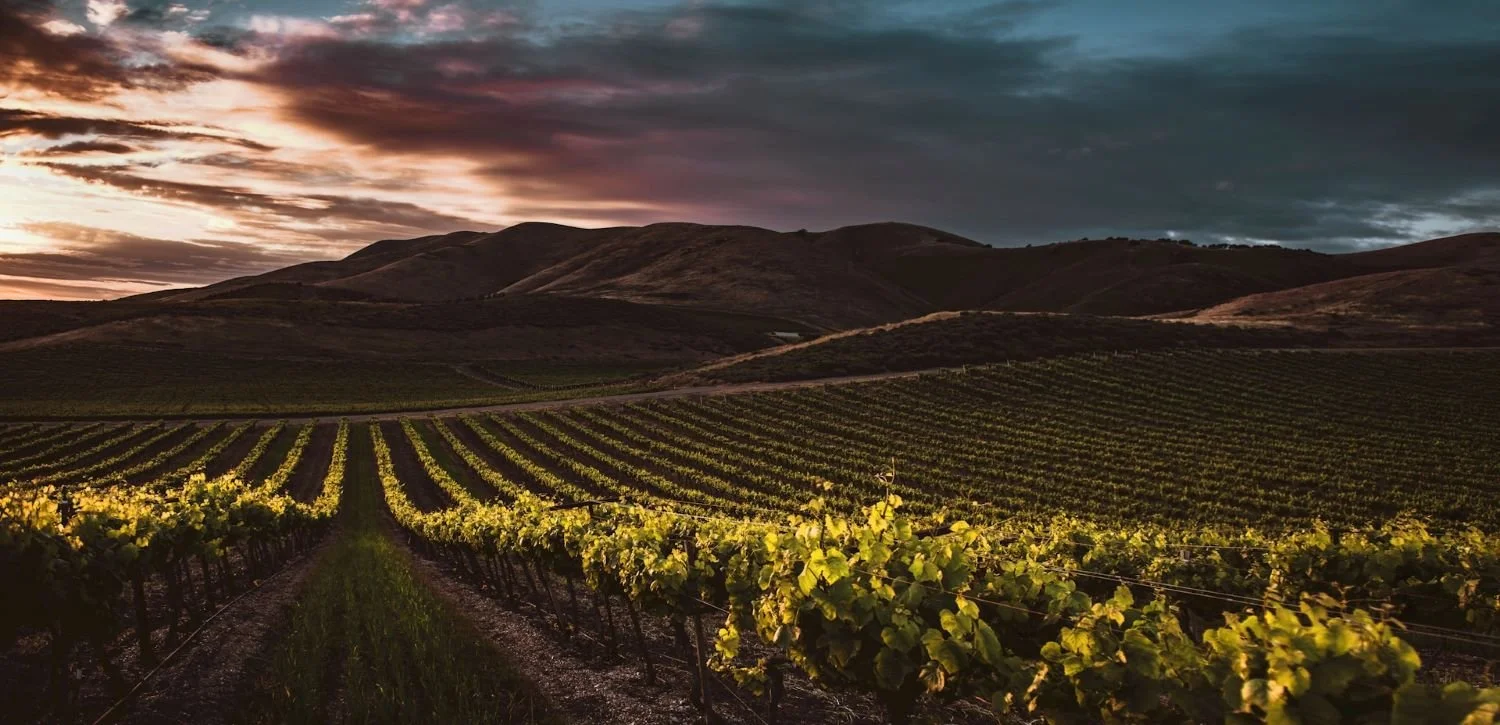
Why is this especially true for wineries in the Pacific Northwest? Because our region is cinematic by nature. Picture the rolling vineyards of the Willamette Valley, shrouded in morning mist. Imagine the Columbia Valley’s dramatic skies, the Blue Mountains rising behind Walla Walla, the volcanic soils of Yakima glowing at sunset. The Pacific Northwest is a feast for the senses, and video is the only medium that can truly do it justice.
In this post, I’ll show you how we can build a winery website where video isn’t just an afterthought—it’s the main event. We’ll explore why video is the perfect fit for PNW wineries, how to use it as a graphic design element, the technical wizardry that makes it lightweight and fast in 2026, and the platforms and content strategies that will make your site shine. Whether you’re a boutique vineyard or a regional powerhouse, it’s time to let your story unfold in motion.
Section 1 — Why Video is the Perfect Medium for PNW Wineries
The Pacific Northwest: A Visual Symphony
The Pacific Northwest is a region defined by its landscapes. Our vineyards aren’t just places where grapes grow—they’re living, breathing canvases. Rolling hills carpeted with vines, mist drifting over the Columbia River, the snow-capped peaks of the Cascades in the distance. Each season brings its own drama: the electric green of bud break, the golden glow of harvest, the quiet poetry of winter dormancy.
This visual richness is the heart of your brand. It’s what draws visitors to your tasting room, what makes your wine club members feel connected, and what sets PNW wines apart on the global stage. But how do you capture that magic online?
The 2026 Digital Marketing Reality
Let’s look at the numbers:
68% of PNW wineries expect direct-to-consumer (DTC) sales growth in 2026. The website is now your primary tasting room, your storefront, and your storytelling platform.
Gen Z wine spending has more than doubled since 2020. This new generation of wine lovers is digital-native, experience-driven, and expects to be wowed in seconds.
Shorter attention spans mean you have just moments to communicate atmosphere, quality, and authenticity.
Static photos can only go so far. Video, on the other hand, can transport your audience. It can show the morning fog rolling over your vines, the hands of your winemaker at work, the laughter of a harvest crew, the swirl of a glass catching the last rays of sun. This is terroir storytelling—communicating a sense of place, not just a product.
Video Trends in PNW Winery Marketing
Forward-thinking wineries in the Pacific Northwest are already embracing video:
Homepage hero videos that greet visitors with cinematic vineyard scenes.
Short-form video for social media—quick, vertical clips that capture the essence of a place or a moment.
Live streaming for virtual tastings, Q&A sessions, and behind-the-scenes tours.
In 2026, video isn’t just a nice-to-have. It’s the most effective way to connect, convert, and create lasting memories for your audience.
Section 2 — Video as a Graphic Design Element: The Creative Toolkit
Let’s move from the “why” to the “how.” Video isn’t just for storytelling—it’s a powerful graphic design element that can elevate every corner of your website.
Here’s how we make it work:
Hero Video Sections
The Opening Act:
A hero video is your website’s handshake—a full-screen, cinematic introduction that sets the tone instantly. Best practices in 2026:
Keep it short: 8–10 seconds, looping seamlessly.
No sound: Let the visuals speak; sound can be jarring and is often muted by default.
Custom footage: Stock won’t cut it. Your vineyard, your light, your story.
Subtle overlays: Use a soft gradient or duotone to ensure text is readable.
Imagine: A drone shot gliding over your Pinot Noir vines at golden hour, the sun breaking through the mist, the mountains in the distance. Visitors are transported before they’ve read a single word.
Background Videos
The Atmosphere Builder:
Background videos “melt into” the design, adding movement and mood without distracting from your content.
Blend, don’t compete: Use monochromatic or duotone overlays to harmonize with your color palette.
Keep it subtle: Gentle motion—leaves rustling, clouds drifting, wine swirling.
Fallbacks: Always provide a static image for mobile or slow connections.
Cinemagraphs
The Elegant Middle Ground:
Cinemagraphs are still images with one subtle moving element—a glass of wine with steam rising, a single vine leaf trembling in the breeze. They’re low bandwidth, high impact, and deeply luxurious.
Why use them? They evoke mood and sophistication without the performance cost of full-motion video.
Where to use: Hero sections, product highlights, or as background elements in testimonials.
Video Loops as Micro-Design Elements
The Detail Work:
Not every video needs to be full-screen. Short, looping clips can add life to section dividers, product cards, or even as subtle backgrounds behind quotes.
Examples: The swirl of a pour, the pop of a cork, the fog rolling over the vineyard at dawn.
Best practice: 3–5 second loops, optimized for fast loading.
Video Overlays with Text
The Message Carrier:
Layering text over video is a classic technique, but it requires finesse.
Contrast is king: Use overlays, filters, or blurred backgrounds to ensure text is always readable.
Test readability: Make sure your message is clear at every frame.
WCAG compliance: Meet accessibility standards for contrast and legibility.
Full-Length Storytelling Videos
The Deep Dive:
Reserve longer videos for dedicated sections—“Our Story,” “Meet the Winemaker,” or virtual vineyard tours.
User-initiated: Let visitors choose to engage; don’t auto-play long videos.
Captions and transcripts: Essential for accessibility and SEO.
Short-Form Loops vs. Long-Form Narratives
Short-form loops: Perfect for ambient design, micro-interactions, and subtle branding.
Long-form narratives: Best for intentional, immersive storytelling where the user is ready to watch.
Key Finding:
In 2026, the most effective winery websites use a mix of video types—hero loops for impact, cinemagraphs for elegance, micro-loops for detail, and full-length videos for deep engagement.
Section 3 — The Technical Deep-Dive: Making Video Lightweight in 2026
Now, let’s address the elephant in the room: performance. How do we make video the star without slowing down your site or frustrating mobile users?
Here’s the technical magic that makes it possible in 2026.
Modern Codecs: AV1, HEVC, VP9, and H.264
The Codec Revolution:
The biggest leap in video performance comes from modern codecs—algorithms that compress video files without sacrificing quality.
AV1: The new gold standard. Royalty-free, 25–30% better compression than VP9, and increasingly supported by browsers and hardware. Delivers stunning quality at a fraction of the file size.
HEVC (H.265): 40–50% better than H.264, especially great for iOS devices.
VP9: Widely supported, solid compression, used as a fallback for AV1.
H.264: The universal fallback—works everywhere, but larger files.
Multi-Codec Fallback Strategy:
Serve the best format each browser can handle. Here’s how:

AV1 for modern browsers
VP9 for slightly older ones
MP4 (H.264) as the universal fallback
The WebM Container
WebM is the preferred container for AV1 and VP9. It’s efficient, open-source, and widely supported in modern browsers.
FFmpeg: The Encoding Workhorse
FFmpeg is the industry-standard tool for encoding and optimizing video. Here’s a command I use for background videos:

What does this do?
-i input.mov: Your original video file.
-vf "scale=1280:-2": Resizes the video to 1280 pixels wide, keeping the aspect ratio.
-c:v libx264: Uses the H.264 codec.
-crf 23: Sets the quality (lower is better quality, higher is smaller file).
-preset medium: Balances speed and compression.
-an: Removes the audio track (saves up to 20% file size for muted videos).
-movflags +faststart: Moves the MOOV atom to the beginning so the video starts playing before it’s fully downloaded.
Audio Removal
For background or decorative videos, removing the audio track can save up to 20% in file size. If the video is always muted, there’s no reason to keep the audio.
Lazy Loading: Only Load What’s Needed
Native lazy loading: The loading="lazy" attribute on <video> elements defers loading until the video is near the viewport.
Intersection Observer API: For older browsers, JavaScript can trigger video loading only when needed.
Poster images: Use the poster attribute to display a static image before the video loads, improving perceived performance and Largest Contentful Paint (LCP).
Example:

Adaptive Bitrate Streaming (HLS/DASH)
For longer videos (like your “Our Story” documentary), adaptive bitrate streaming is essential. Protocols like HLS and DASH deliver multiple renditions of a video at different bitrates and resolutions. The player dynamically selects the best stream based on the viewer’s network and device.
HLS Manifest Example:

Per-title encoding: Modern platforms analyze each video to determine the optimal bitrate/resolution pairs, reducing average bandwidth by 30–50% without sacrificing quality.
CDN Delivery: Fast, Everywhere
Serving video from a global Content Delivery Network (CDN) ensures low latency and fast load times for visitors everywhere—crucial for wine club members across the country or international fans.
Autoplay Best Practices
Muted: All major browsers allow autoplay only if the video is muted.
Playsinline: Prevents forced fullscreen playback on iOS.
Poster fallback: Always provide a static image in case the video can’t play.
The -movflags +faststart Trick
This FFmpeg flag moves the MOOV atom (the video’s index) to the beginning of the file, so playback can start before the entire file is downloaded. Essential for fast start times.
CSS: object-fit: cover
Ensure your videos fill their containers without black bars:

Performance Benchmarks Table

Key Finding:
With these techniques, even video-centric winery websites can load fast, look stunning, and work seamlessly across all devices.
Free Guide: Winery Website Conversion Checklist
Section 4 — Managed Video Platforms: The Secret Weapon
Let’s face it: encoding, streaming, and optimizing video for every device and connection is complex. That’s where managed video delivery platforms come in—they’re the secret weapon for winery websites in 2026.
Mux
End-to-end video infrastructure: Handles encoding, adaptive streaming, multi-CDN delivery, and real-time analytics.
Per-title encoding: Each video is analyzed and optimized for maximum quality at minimum bandwidth.
Multi-CDN delivery: Ensures fast, reliable playback anywhere in the world.
Professional’s choice: If you want the best, this is it.
Cloudflare Stream
Simple pricing: Pay for what you use, no surprises.
Tight CDN integration: Videos are delivered from Cloudflare’s global edge network.
Great for smaller wineries: Easy to use, reliable, and cost-effective.
Bunny.net Stream
Ultra-low egress costs: Perfect for boutique wineries watching their budgets.
Integrated CDN: Fast delivery, even for high-traffic events or launches.
The best part?
You upload your video once, and these platforms handle all the encoding, streaming, and device optimization automatically. Your visitors always get the best version for their device and connection—no technical headaches for you.
Section 5 — Choosing the Right CMS/Platform
Your website’s platform is the foundation for everything we build. Here’s how the top choices stack up for video-first winery sites in 2026:

Recommendation Matrix
Boutique wineries, design-focused: Webflow or Squarespace.
Larger wineries, content-rich: WordPress with a skilled designer/developer.
E-commerce first: Shopify.
Minimal tech resources: Squarespace.
Key Finding:
Choose the platform that matches your ambitions, resources, and the experience you want to deliver. In 2026, all major platforms support video beautifully—when set up by a pro.
Section 6 — Mobile-First and Accessibility: Non-Negotiables
In 2026, mobile isn’t just a consideration—it’s the default. And accessibility isn’t optional; it’s essential.
Mobile-First Video Strategies
Replace background videos with static images on mobile: For speed and usability, always provide a fallback.
Low-bitrate renditions: Serve 360p–480p videos at 500–800 kbps for mobile networks.
Detect data saver mode: Use the navigator.connection API to respect users’ bandwidth preferences.
Accessibility Essentials
Captions and transcripts: All spoken-word videos should have captions (WebVTT format) and transcripts.
Prefers-reduced-motion: Respect users who have motion sensitivity—serve a static image instead of a looping video using CSS media queries.
WCAG contrast guidelines: Ensure text over video meets accessibility standards for contrast.
Keyboard-accessible controls: All video play/pause controls must be usable without a mouse.
Key Finding:
A beautiful video experience means nothing if it’s not fast, usable, and accessible for everyone.
Section 7 — A Practical Video Content Plan for Your PNW Winery Website
Let’s get practical. What videos should you actually produce for your winery website?
Here’s a content plan tailored for Pacific Northwest wineries:
1. Hero Video
8–10 second seamless loop
Cinematic moment: Drone shot over rows of Pinot Noir at golden hour, fog lifting over the Cascades, or a close-up of dew on grape leaves.
2. Cinemagraph
Elegant detail: A close-up of a wine glass being filled with Syrah, only the liquid moving.
Use: Homepage, product highlights, or as a subtle background.
3. Winemaker Story Video
2–3 minute documentary-style video
Content: “Our Story” or “Meet [Winemaker Name]”—show the passion, the process, the people.
4. Harvest Season Video
60–90 second short-form video
Content: The drama of harvest—hand-picking, sorting, crush, celebration.
5. Virtual Tasting/Tour Video
For wine club members and virtual visitors
Content: Walkthrough of the vineyard, tasting notes, food pairings.
6. Product Page Micro-Loops
3–5 second clips for each wine varietal
Content: The pour, the color, the swirl, the region.
Pro Tip:
Invest in professional video production. The quality of your footage is the foundation for everything we build.
Conclusion: Video is No Longer the Enfant Terrible—It’s Your Star Performer
It’s 2026, and the old fears about video—slow loading, heavy files, poor mobile performance—are relics of the past. With modern codecs, adaptive streaming, lazy loading, and thoughtful design, video is now the most powerful tool in your digital arsenal.
The Pacific Northwest was made for video storytelling. Our landscapes are cinematic, our winemaking is artisanal, and our audience—especially the growing Gen Z wine drinker—expects to be transported, not just informed. Video lets you share your terroir, your craft, and your passion in a way no other medium can.
If you’re ready to make your winery website a destination, not just a brochure, let’s build it together. Invest in great video production, trust a skilled web designer to deliver it fast, beautiful, and mobile-ready, and watch your story come alive for wine lovers everywhere.
Ready to make video the star of your winery website?
Let’s raise a glass to your next chapter—get in touch, and let’s create something unforgettable.
If you’re ready to dig deeper and build a winery website that truly works — because it’s built on a foundation of clarity, strategy, and operational excellence — let’s talk. The Pacific Northwest wine world is waiting. right reasons.
Let’s raise a glass to your success—both in wine and beyond! 🍷
As a web designer who specializes in the wine industry, I help wineries and vineyards create beautiful, effective websites and digital marketing strategies tailored to their unique stories and audiences. If you’re ready to boost your online presence and connect with new customers, let’s have a chat about how strategic & smart web design can take your winery to the next level!
Cheers to your success in the wine industry!
Maike
The Golden Square Design Studio
Where Vision Meets Innovation
Creating Stunning & Strategic Websites for Online Success